


Charlotte Bennett 2026-11-11 15 Min Read
Best AI Doc Tools for Proposals and Research Briefs in 2026: Kooko AI vs 9 Alternatives
The meaning of an AI doc tool can be quite varied. Some people consider it a tool bar within a word processor that drafts and rewrites, rather than a sidebar. It's a workspace that reminds others of their work or a chat window with an editor attached. That span is tricky to choose the right AI doc tool, particularly when the actual task is more specific – say, a client proposal or a research brief that needs to be accurate, properly structured and easy to hand off.
In this guide, we'll share our thoughts on ten AI document tools on those two tasks. It features [Kooko AI](https://kooko.ai/), Baidu's AI work platform, plus nine others from Google, Microsoft, Notion, Superhuman (formerly Grammarly), OpenAI, Canva and Jasper. Identify the uses, advantages and disadvantages of each tool, and for each tool, identify the people it is appropriate for. A comparison table, a quick-pick guide and an FAQ follow.
If you're a Microsoft 365 user or Google Workspace user, the obvious solution is Copilot in Word and Gemini in Google Docs. NotebookLM is unique in that it is source grounded. Notion AI is ideal for teams where knowledge is stored within a single workspace. Jasper is designed for marketers who value brand voice. Kooko AI is designed for those seeking a single workspace for drafting, research, and Office-style editing.
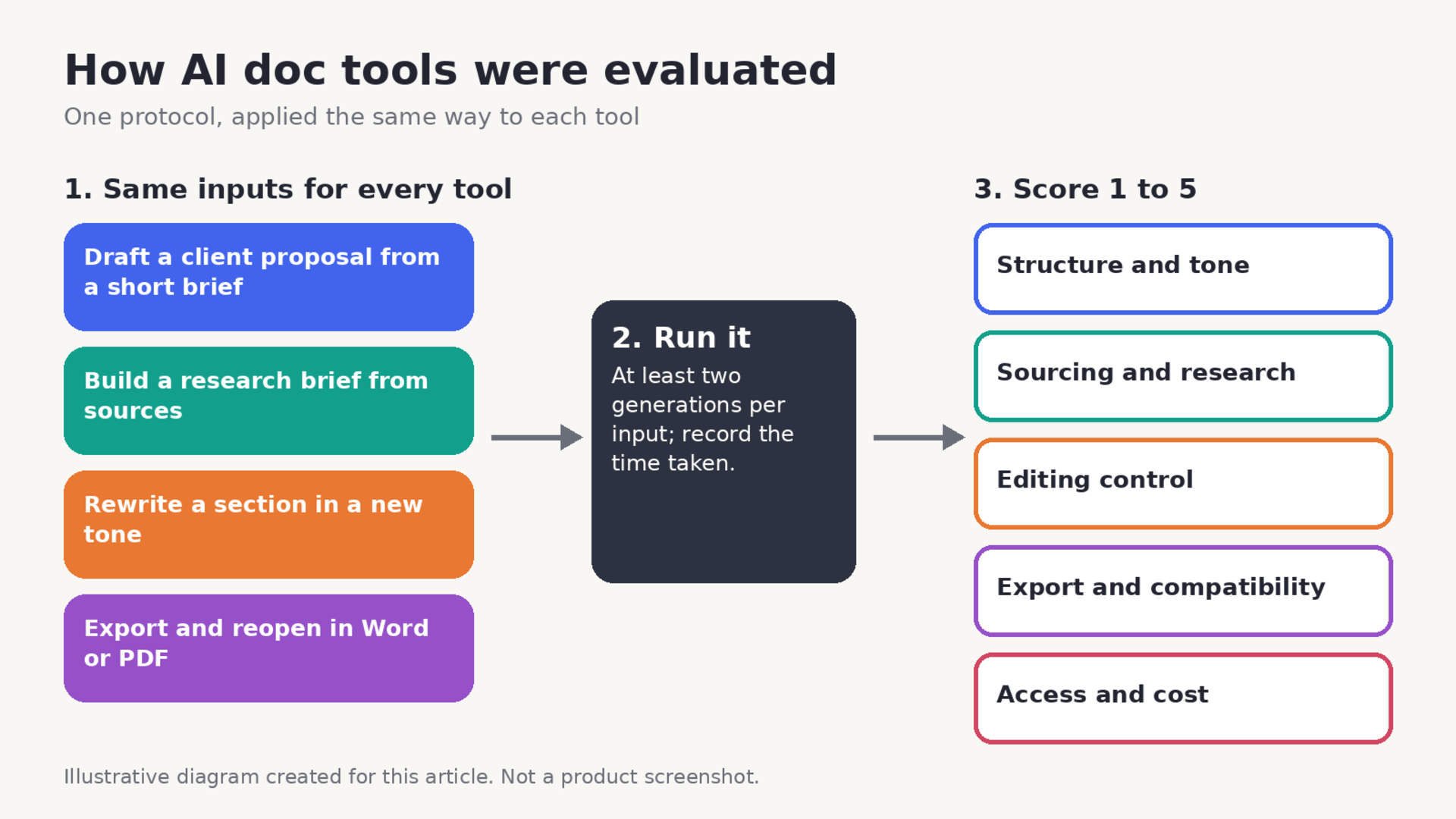
## How We Evaluate AI Document Generators The descriptions of the features in this guide are from the sources identified at the end; the pricing or plan limits are indicated as time-sensitive. Observed results are presented only when the tool in question was actually executed in the following protocol, due to the fact that many times the results that a vendor reports are not the same as those that it actually produces.
Four tasks are used for each one of the tools:
Draft a client proposal from a short brief, create a research brief from a set of provided sources, rewrite one section in a different tone, and export the result and reopen it in Word or PDF. There are five criteria, each scored from 1 to 5, for each.
* Structure and tone: If the draft is logically structured and has a voice appropriate to the audience. * Sourcing and research: Whether claims are based on materials provided to them or they cite sources, whether there is a deep research mode. * Editing control: The exactness with which you can edit a paragraph/ability to track changes or to undo a rewrite. * Compatibility and export: What formats retain the integrity of the tool and what it looks like when opened again. * Access and cost: What plans incorporate it and what constraints are in place.
One caution applies to every tool in this category. AI-written text can contain errors that read fluently, so a draft is a starting point rather than a finished document. The sections below note where a tool helps with verification, for example by working from your own sources.
## What to Look for in an AI Document Generator The first draft is usually a feature that most buyers look at when deciding whether a tool sticks or not. There are 3 questions that are more important. The first question is where is the document after it's done? A tool that can write a well written document that will then get locked into its own format is a tool that costs you money every time you send something to a client. Secondly, what context can it use? Writing from one line prompt generates very basic text, writing from notes, past files or uploaded sources generates more usable. Third, is it obvious what changes the AI made and is it easy to undo the changes? Version comparison and suggestions in comment style make review much less hazardous.
The research briefs and proposals highlight these questions in different ways. Editing Control and Export is the most important part of a proposal, due to tone, structure and brand consistency. Sources are critical in a research brief and the ability to verify claims is very important. This distinction is crucial to understand why some of the best AI document editors for a specific type of work are terrible for another.
## AI Doc Tools Compared at a Glance The table summarizes documented capabilities only.
|**Tool**|**Best for**|**Documented standout**|**Needs paid plan?**| |-|-|-|-| |Kooko AI|General AI workspace|Memory and Office editing in one workspace [1]|FREE| |Gemini in Google Docs|Google Workspace users|Help me write; Drive-aware chat [3][4]|Limited free plan| |Copilot in Word|Microsoft 365 users|Drafts from prompts, notes or files [7]|License required [9]| |Notion AI|Team knowledge workspaces|Agent, search and Research Mode [10]|Business/Enterprise [10]| |Grammarly Docs|Editing and feedback|Eight writing agents [11]|Admin settings [12]| |Superhuman Docs|Teams, formerly Coda|Docs AI drafts and tables [14]|Pricing unclear [15]| |ChatGPT canvas|Chat-first drafting|Exports PDF, Markdown, docx [16]|limited| |Google NotebookLM|Source-based research|Summaries from uploaded sources [18]|Limited free tier| |Canva Docs|Visual documents|Magic Write in a design editor [19]|Free queries, then Pro [20]| |Jasper|Marketing teams|Brand Voice and agents [22]|Paid [22]|
## 1. Kooko AI
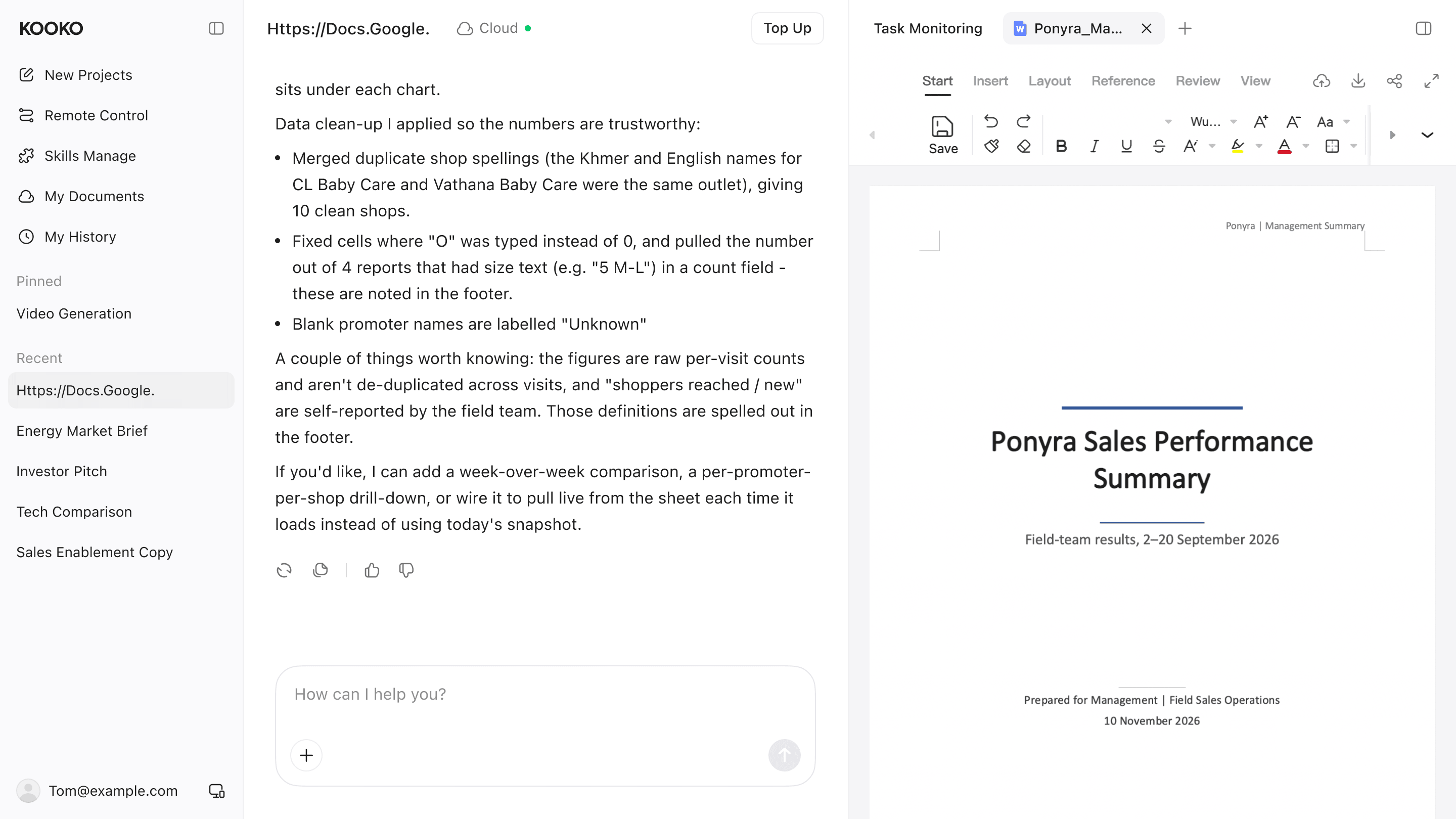
Kooko is the overseas brand of Baidu’s AI work platform, previously known abroad as Oreate AI [2]. Baidu describes it as a workspace that combines personalized memory, domain skills, user-authorized public and private content, and Office editing, and says it helps users research, analyze and create documents, presentations, spreadsheets and code [1]. The [AI Doc feature](https://kooko.ai/home/vertical/aiDocs) is the part of that workspace aimed at written deliverables such as proposals and briefs.
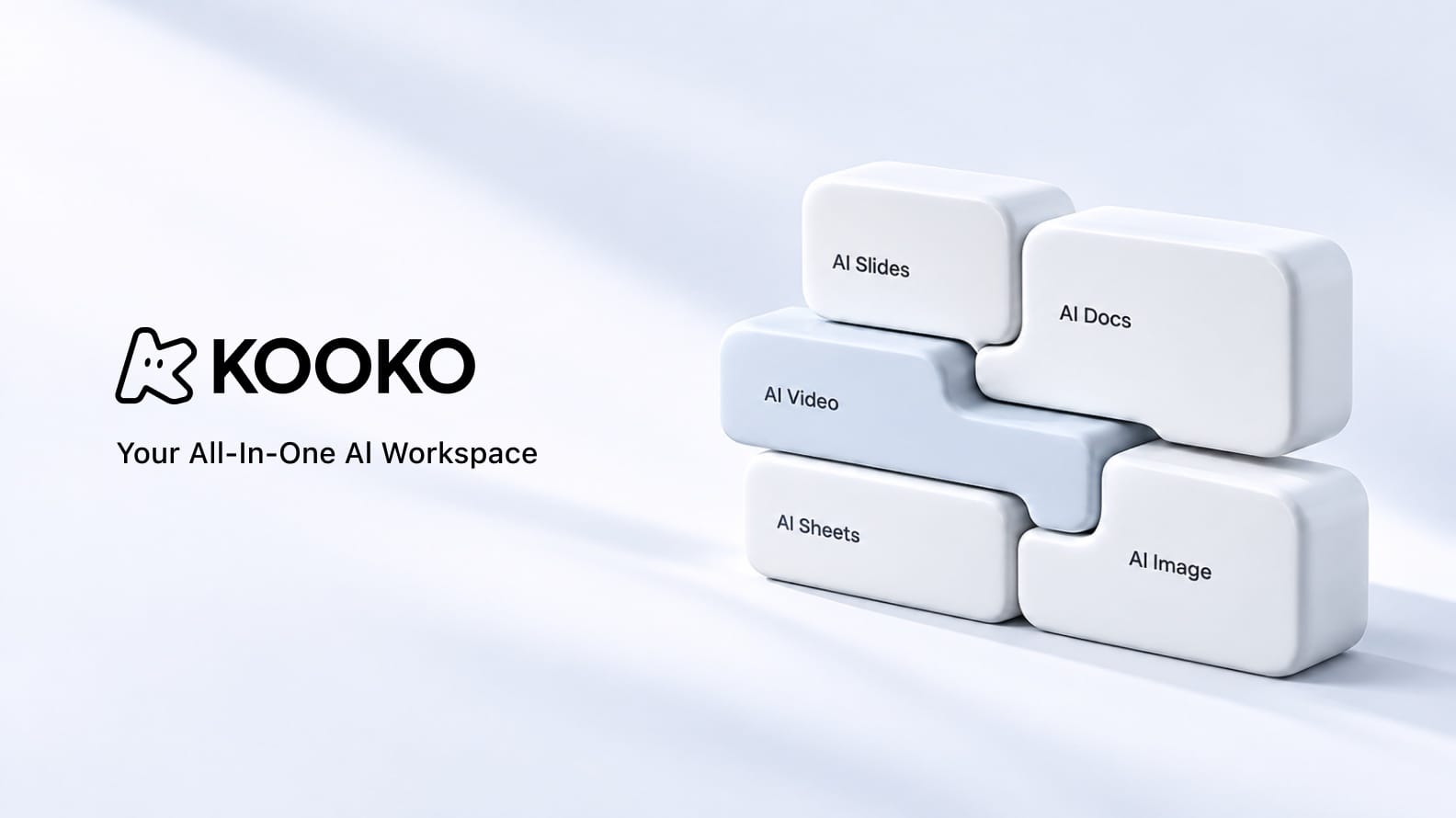
* **File & Prompt Transformation:** Drag and drop source files, PDFs, or type a brief to generate organized reports, essays, and articles. * **Academic & Writing Tools:** Includes Markdown and diagram support, a "Format a Citation" tool for referencing styles like APA or MLA, and a "Polishing Your Academic Paper" mode to refine grammar and tone. * **Integrated Workspace:** Connects directly with other Kooko modules, allowing you to transition between AI Docs, AI Slides, AI Sheets, AI Image generation, and AI Video creation within a single platform. * **Cloud Sync:** Offers cross-device access and cloud storage for your generated files.
**Pros**
* The platform retains edits, preferences and project results as context for later tasks, which can reduce repeated instructions across a long project [1]. * Documents, presentations and spreadsheets come from one workspace, handy when a proposal needs a slide summary or a data table [1]. * Office editing is part of the product, rather than an afterthought [1].
**Cons**
* TechNode notes it is still an open question how well Kooko can build a market-specific data and context layer for overseas users [1].
**Review**
Kooko’s pitch is breadth with continuity: one place to research, draft and edit, with memory that carries over. That suits freelancers and small teams who produce many different deliverables.
I tested AI Docs with two prompts: “Create a B2B SaaS SEO proposal with deliverables, timeline, and pricing” and “Prepare a research brief on AI search and organic traffic, with findings and recommendations.” The proposal had a clear structure and professional tone, while the brief was easy to scan but needed manual source verification. Editing and formatting were straightforward, and export worked for sharing the drafts. Overall, AI Docs is useful for first drafts, but accuracy and citations still need human review.
**Evaluation scores**
|**Criterion**|**Score**| |-|-| |Proposal structure|5/5| |Research brief organization|4.9/5| |Tone and writing quality|5/5| |Source citation and accuracy|4.9/5| |Editing and export|4.9/5| |**Overall score**|**5/5**|
*Scoring: 1 = poor; 5 = excellent*
## 2. Gemini in Google Docs
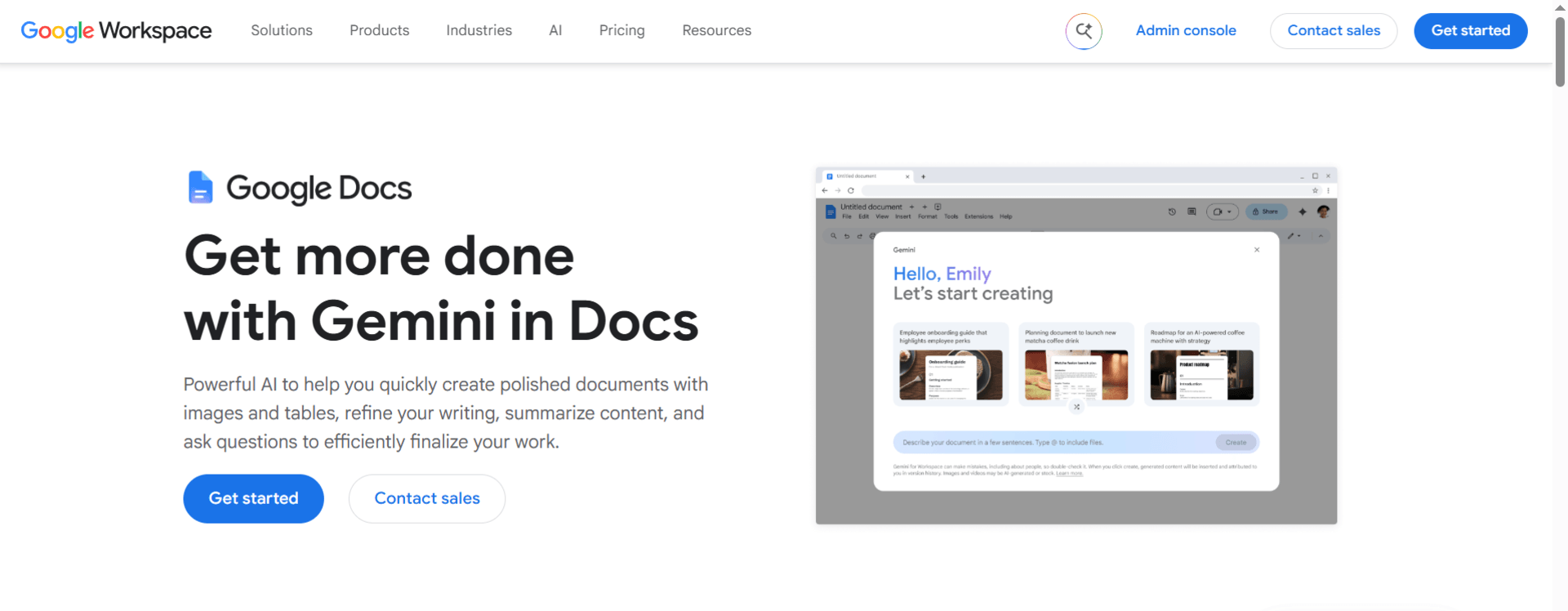
Google’s Help me write prompt in Docs can draft new text and rewrite existing passages, and it requires an eligible Google Workspace or Google AI plan [3]. The Ask Gemini panel can access, summarize and pull information from Docs, Sheets, Slides and Forms stored in Drive [4]. Help me create builds a stylized, structured document from a single prompt using content in Drive [5], and Gemini’s Deep Research is available to Google AI Plus members in the Gemini apps [6].
**Pros**
* Works inside the editor many teams already use, with Drive context [4]. * Can draft a structured document from one prompt [5]. * Deep Research is available for in-depth topics [6].
**Cons**
* Features depend on having an eligible plan [3]. * Language availability is limited for some features [3].
**Review**
For Google Workspace teams this is the lowest-friction way to add an AI doc generator, because drafts, comments and sharing stay in one place. It is less compelling if your files live elsewhere.
## 3. Copilot in Word
Microsoft says Copilot in Word can start a draft from a prompt, outline, notes or referenced file, rewrite selected text and adjust tone, and summarize a document or answer questions about it [7]. It operates directly inside Word, so drafts are written into the document you are already editing, with the formatting tools you already know [8].
**Pros**
* Works directly inside Word rather than in a separate window [8]. * Drafts can draw on referenced files, helpful for proposals built from existing material [7]. * Rewrite and tone adjustments work on selected text [7].
**Cons**
* Copilot may not be included with your subscription, or may be unavailable because of organization settings [9]. * Value depends on being committed to the Microsoft ecosystem.
**Review**
If your clients expect Word files, Copilot removes the conversion step. Check licensing first, since access varies by account type.
## 4. Notion AI
Notion’s help center says Notion Agent can use context from a workspace and connected apps to create and edit pages and databases. Enterprise Search looks across connected tools such as Slack and Google Drive, Research Mode generates reports, and AI Meeting Notes transcribes and summarizes meetings [10]. Notion AI is included with Business and Enterprise plans, while other plans get limited complimentary responses [10].
**Pros**
* Combines documents, databases and search in one workspace [10]. * Research Mode and connectors help when briefs depend on internal material [10]. * Workspace owners can turn off web search [10].
**Cons**
* Full AI access requires a higher-tier plan [10]. * It is a workspace first, so long formatted deliverables may need exporting to another editor.
**Review**
Notion AI works best when your source material is already in Notion. For internal research briefs and team documentation it is strong; for polished client proposals, many teams will still finish elsewhere.
## 5. Grammarly Docs
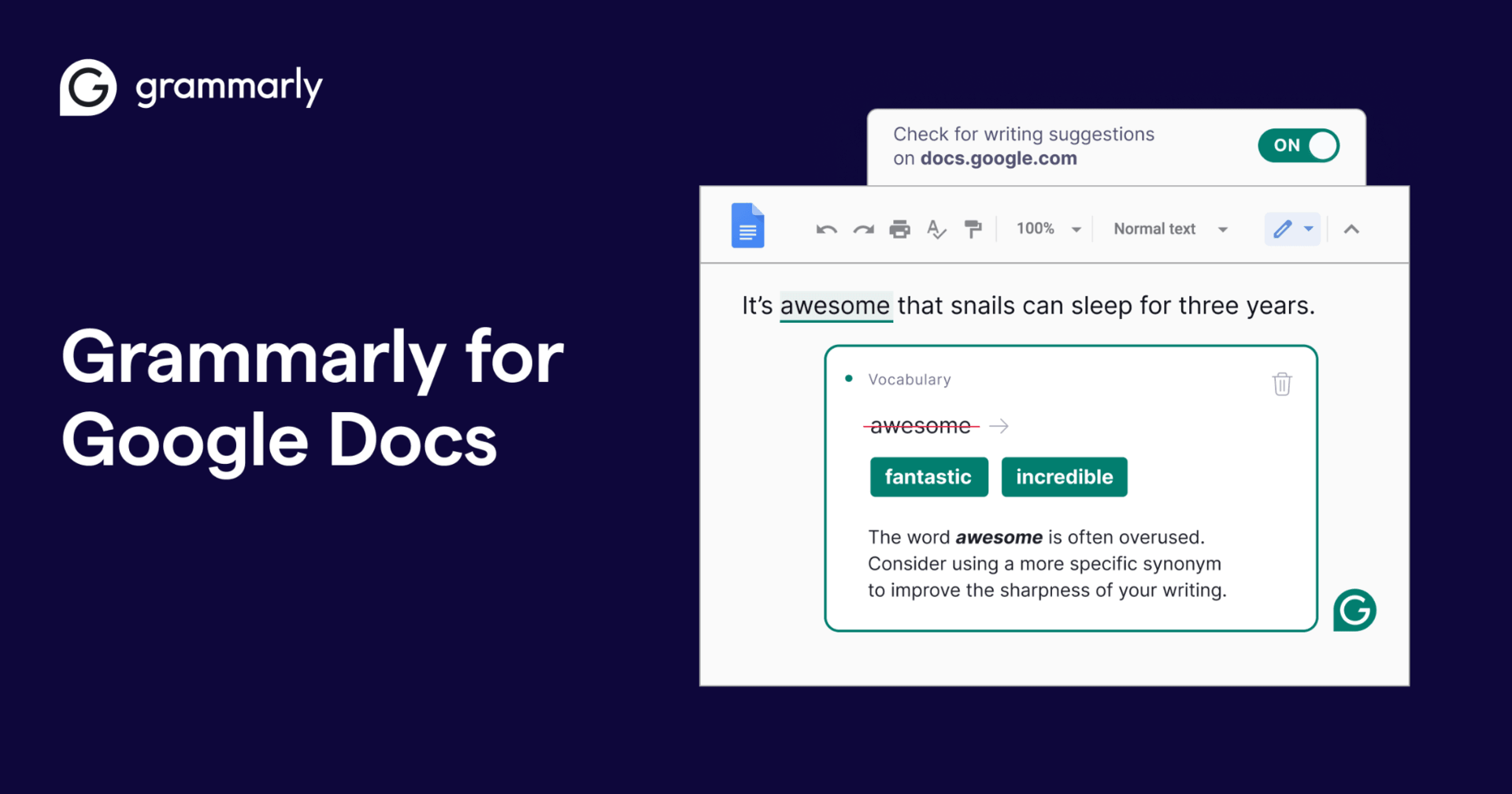
Grammarly introduced Docs as an AI-native writing surface along with eight specialized agents, including Citation Finder, AI Grader and Reader Reactions, plus an AI chat for brainstorming and summarizing [11]. Administrators must enable several settings before docs becomes available in managed accounts [12]. Grammarly’s parent company has since rebranded as Superhuman [13].
**Pros**
* Agents target specific writing problems such as sources and reader response [11]. * Familiar Grammarly-style feedback within a document editor [11].
**Cons**
* Admin settings must be enabled in managed environments [12]. * Branding and product names have shifted, so check which plan includes which agent.
**Review**
Grammarly Docs is strongest as an editor and reviewer. It helps sharpen a draft and check how it will land, which makes it a good second tool even if you draft elsewhere.
## 6. Superhuman Docs
Superhuman launched Docs on July 8, 2026, as the evolution of Coda [15]. Its Docs AI assistant can draft content, create tables, resolve comments and pull information from other documents [14]. AI Views and Databases were in private beta at launch, and pricing was not disclosed then [15].
**Pros**
* Designed for teams and AI to work together in one document and data space [14]. * Handles tables and comments as well as prose [14].
**Cons**
* A new product with beta features at launch [15]. * Pricing was not published at launch [15].
**Review**
Superhuman Docs is worth watching for teams that want collaborative documents with structured data. Because it is recent, test it on a small project before standardizing.
## 7. ChatGPT Canvas
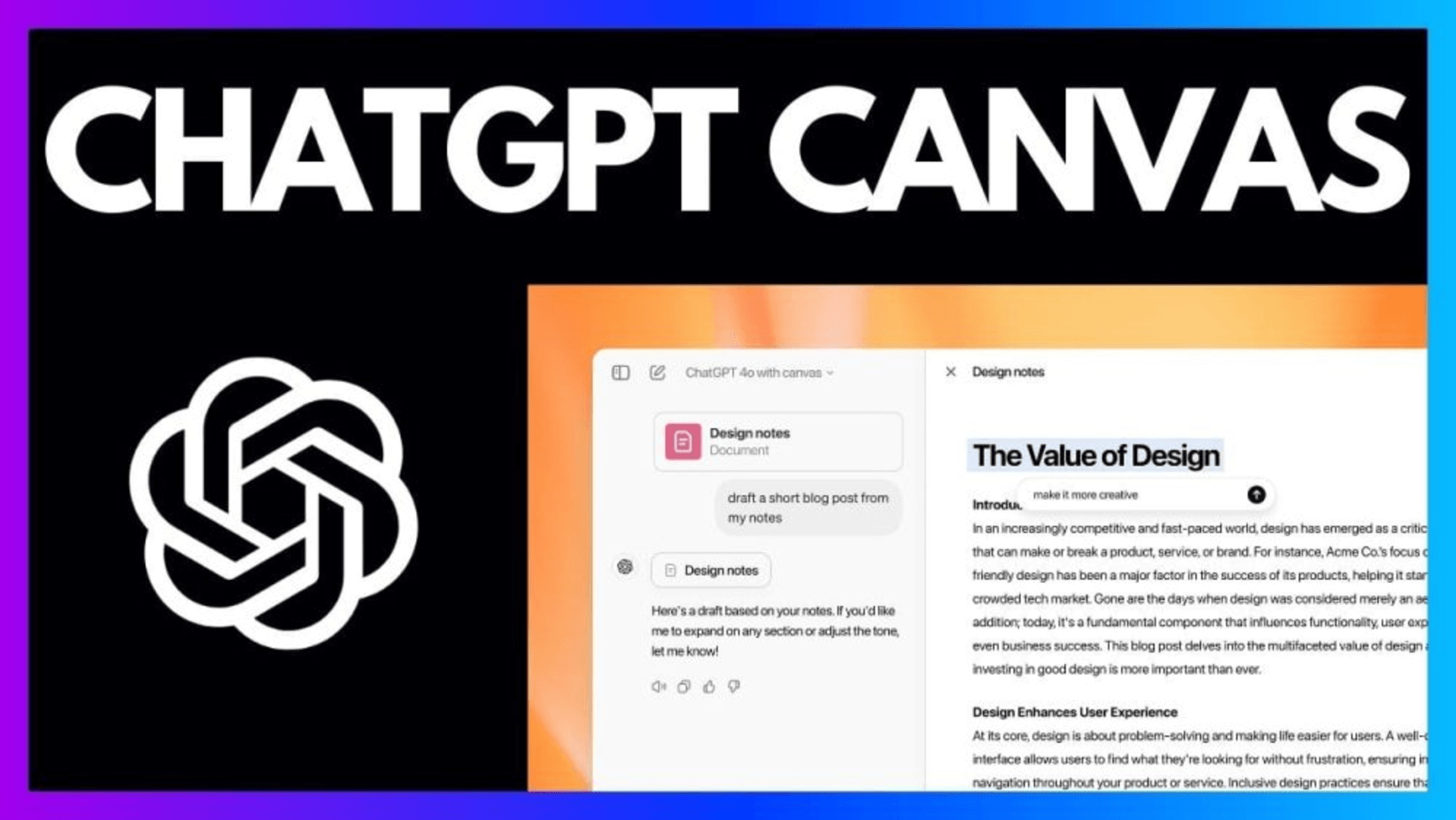
OpenAI describes Canvas as a collaborative editing space where you and ChatGPT create and refine content together [17]. Its help center explains that suggestions appear as comments you can apply, that a Show changes button displays additions and deletions between versions, and that general documents can be exported as PDF, Markdown or Word [16].
**Pros**
* Version comparison makes it easy to see what the AI changed [16]. * Export to PDF, Markdown and Word [16]. * A chat-first workflow suits quick drafts and iteration [17].
**Cons**
* It is a text-centric editor rather than a layout tool, so heavily formatted documents may need finishing in Word.
**Review**
Canvas is a practical choice when you think best by conversation. The change-tracking view is a genuine advantage when a collaborator needs to review what the AI altered.
## 8. Google NotebookLM
Google describes NotebookLM as a place to upload strategy documents, research or project plans and ask for summaries of key takeaways, new ideas or connections between sources. A Studio panel can generate several output types stored in the notebook [18].
**Pros**
* Works from sources you supply, which supports verification [18]. * Multiple output types from the same source set [18].
**Cons**
* As Google describes it, it centers on analyzing sources rather than long-form drafting, so you will likely move text into another editor.
**Review**
For research briefs, grounding in your own material is the point. Many writers will pair NotebookLM for analysis with a separate AI doc editor for the final draft.
## 9. Canva Docs
Canva Docs pairs a drag-and-drop editor and more than a million templates with Magic Write, a text generation tool powered by OpenAI, and lets you share a document as a branded URL [19]. Docs can embed presentations, social posts and graphics made in Canva [20]. Magic Write offers up to 50 free queries, with more on Canva Pro [20].
**Pros**
* Visual layout and brand assets in the same place as the text [19][20]. * A free allowance for trying Magic Write [20].
**Cons**
* One reviewer judged Canva Docs well behind Google Docs and Word for heavy writing, though that review dates from 2024 [21].
**Review**
Canva Docs fits short, visual documents such as one-pagers, agendas and brand guidelines. It is a less obvious fit for a long research brief.
## 10. Jasper
Jasper has repositioned itself as an enterprise AI marketing and content platform [23]. Its pitch centers on Brand Voice, which learns tone from your existing content, and more than 100 specialized marketing agents [22].
**Pros**
* Brand voice controls help many writers sound consistent [22]. * Agents and workflows built for marketing teams [22].
**Cons**
* A review reports occasional factual inaccuracies in long-form output [24]. * It is aimed at marketing teams, so it is a narrower fit for general proposals or research briefs.
**Review**
Jasper is a good match when brand consistency across many writers is the main requirement. Verify facts in anything long-form before it goes out.
## Which AI Doc Tool Fits Which Need?
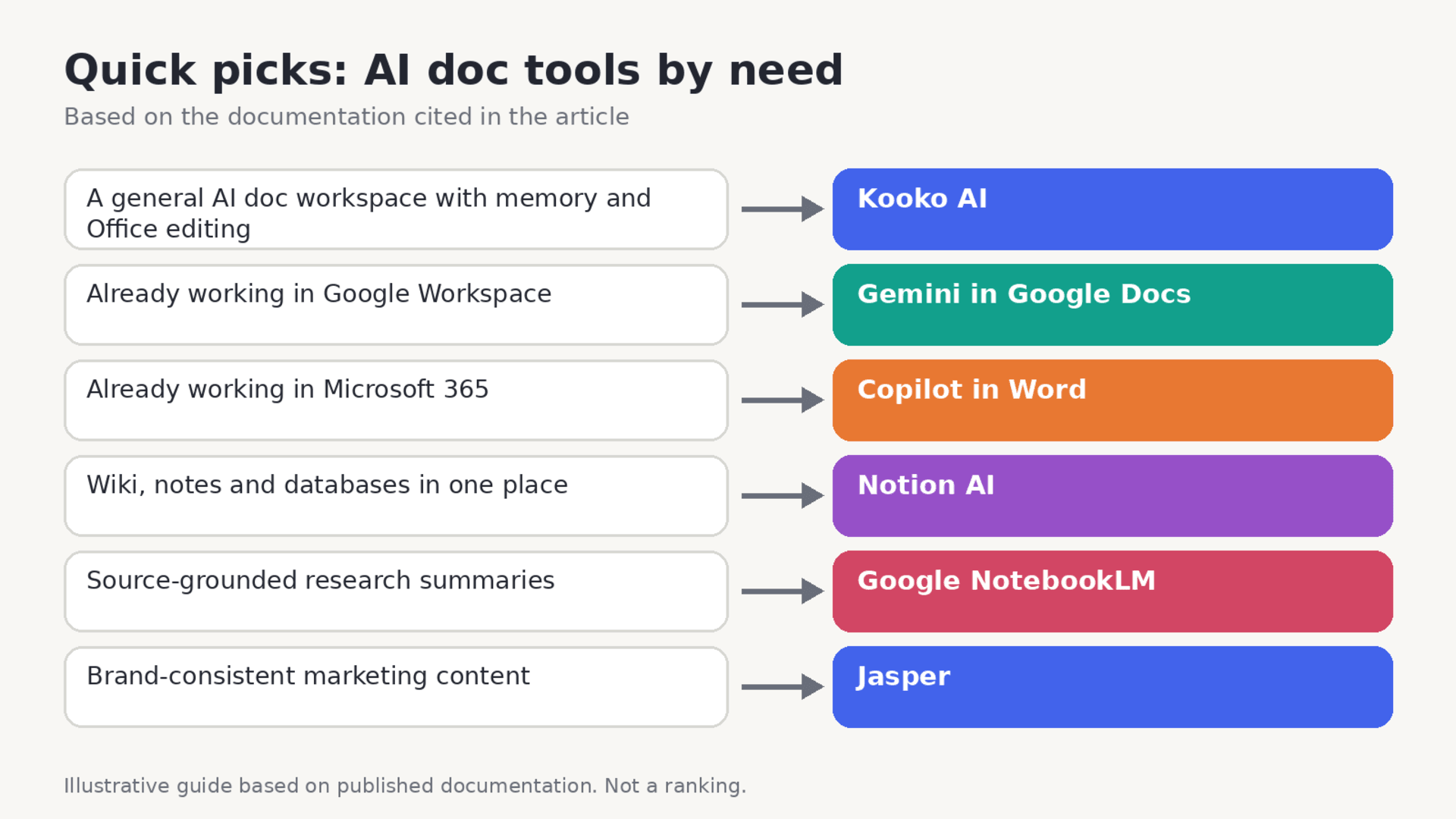
Match the tool to where your work already lives. If your files are in Google Drive, Gemini has the context. If clients expect Word files, Copilot saves a conversion. If you need answers tied to specific sources, start with NotebookLM. A general workspace such as Kooko AI makes the most sense when the same person produces many kinds of deliverables.
## FAQ: AI Doc Generators and Editors ### What is an AI doc? The term usually covers any document created or edited with AI help: drafting from a prompt, rewriting a paragraph, summarizing a long file or answering questions about it. Microsoft’s description of Copilot in Word captures the common set of functions [7].
### Is there a free AI doc generator? Some tools include a free allowance. Canva’s Magic Write offers up to 50 free queries [20], and Notion’s Free and Plus plans include limited complimentary AI responses [10]. Allowances change, so check each provider’s current terms.
### Which AI document editor exports to Word? ChatGPT Canvas can export general documents to Word, PDF and Markdown [16]. Copilot works inside Word itself [8]. For any other tool, export a test document and reopen it before committing.
### Can I trust facts in an AI-generated document? Not without checking. One Jasper review reports occasional factual inaccuracies in long-form output [24]. Tools that work from your own sources, such as NotebookLM, make verification easier [18], but you should still confirm figures and quotations.
### Which AI document editor is best for research briefs? Tools built around sources and research modes suit briefs best: NotebookLM [18], Notion’s Research Mode [10] and Gemini’s Deep Research [6] are the documented options here.
## Conclusion There is no single best AI doc tool, only a best fit for your workflow. Copilot in Word and Gemini in Google Docs are the practical defaults for the two biggest office suites. NotebookLM leads on source-grounded research, Notion AI on team knowledge, Canva Docs on visual layout and Jasper on brand voice. Kooko AI offers a different proposition: a general workspace with memory and Office editing that handles documents, slides and spreadsheets together.
Before you commit, run your own proposal and research-brief prompts, export the results, and read them with a critical eye. Plans and features in this category change every few months, so treat this comparison as a snapshot and verify the details that matter to you.
## Sources [1] TechNode, Baidu’s Global AI Push Takes Shape in Kooko, Built Around Deliverables (Sept 23, 2026). [https://technode.com/2026/09/23/baidus-global-ai-push-takes-shape-in-kooko-built-around-deliverables/](https://technode.com/2026/09/23/baidus-global-ai-push-takes-shape-in-kooko-built-around-deliverables/)
[2] Sina Finance, Oreate rebrands as Kooko (Chinese, Sept 21, 2026). [https://finance.sina.com.cn/tech/2026-09-21/doc-inisqriw8887606.shtml](https://finance.sina.com.cn/tech/2026-09-21/doc-inisqriw8887606.shtml)
[3] Google Docs Help, Write with Gemini in Google Docs. [https://support.google.com/docs/answer/13951448?hl=en](https://support.google.com/docs/answer/13951448?hl=en)
[4] Google Docs Help, Collaborate with Gemini in Google Docs. [https://support.google.com/docs/answer/14355406](https://support.google.com/docs/answer/14355406)
[5] Google Workspace, Guide for using AI at work (PDF). [https://services.google.com/fh/files/misc/google_workspace_guide_for_using_ai_at_work.pdf](https://services.google.com/fh/files/misc/google_workspace_guide_for_using_ai_at_work.pdf)
[6] Google One Help, Gemini features and Deep Research. [https://support.google.com/googleone/answer/16548195?hl=en](https://support.google.com/googleone/answer/16548195?hl=en)
[7] Microsoft Support, Welcome to Copilot in Word. [https://support.microsoft.com/word/welcome-to-copilot-in-word](https://support.microsoft.com/word/welcome-to-copilot-in-word)
[8] Microsoft Support, Draft and add content with Copilot in Word. [https://support.microsoft.com/en-us/copilot-word](https://support.microsoft.com/en-us/copilot-word)
[9] Deckary, How to use Copilot in Word (May 2026). [https://deckary.com/blog/how-to-use-copilot-in-word](https://deckary.com/blog/how-to-use-copilot-in-word)
[10] Notion Help Center, What is Notion AI?. [https://www.notion.com/help/notion-ai-faqs](https://www.notion.com/help/notion-ai-faqs)
[11] Business Wire, Grammarly launches specialized AI agents and writing surface (Aug 18, 2025). [https://www.businesswire.com/news/home/20250818186419/en](https://www.businesswire.com/news/home/20250818186419/en)
[12] Superhuman Help, Docs: Grammarly’s AI writing surface user guide. [https://help.superhuman.com/hc/en-us/articles/46242075007373](https://help.superhuman.com/hc/en-us/articles/46242075007373)
[13] Thurrott, Grammarly rebrands to Superhuman and launches new AI suite. [https://www.thurrott.com/?p=328965](https://www.thurrott.com/?p=328965)
[14] SiliconANGLE, Superhuman launches Docs (July 8, 2026). [https://siliconangle.com/2026/07/08/superhuman-launches-docs-merging-writing-ai-data-document-collaboration/](https://siliconangle.com/2026/07/08/superhuman-launches-docs-merging-writing-ai-data-document-collaboration/)
[15] The Daily Brief, Superhuman Docs tool profile (July 2026). [https://www.beri.net/tools/superhuman-docs](https://www.beri.net/tools/superhuman-docs)
[16] OpenAI Help, What is the canvas feature in ChatGPT. [https://help-lb.openai.com/en/articles/9930697-what-is-the-canvas-feature-in-chatgpt-and-how-do-i-use-it](https://help-lb.openai.com/en/articles/9930697-what-is-the-canvas-feature-in-chatgpt-and-how-do-i-use-it)
[17] OpenAI Academy, Canvas. [https://academy.openai.com/en/public/clubs/work-users-ynjqu/resources/canvas](https://academy.openai.com/en/public/clubs/work-users-ynjqu/resources/canvas)
[18] Google Workspace Blog, AI productivity tools including NotebookLM. [https://workspace.google.com/blog/ai-and-machine-learning/work-smarter-discover-our-best-ai-productivity-tools-enhanced-efficiency](https://workspace.google.com/blog/ai-and-machine-learning/work-smarter-discover-our-best-ai-productivity-tools-enhanced-efficiency)
[19] Canva, Docs: free online document creator. [https://www.canva.com/create/documents](https://www.canva.com/create/documents)
[20] Canva, Docs with Magic Write. [https://www.canva.com/sem/docs/?a=pro-v1](https://www.canva.com/sem/docs/?a=pro-v1)
[21] Educators Technology, Canva Doc: a new alternative to Google Docs (Nov 2024). [https://www.educatorstechnology.com/2024/11/canva-doc-a-new-alternative-to-google-docs.html](https://www.educatorstechnology.com/2024/11/canva-doc-a-new-alternative-to-google-docs.html)
[22] AdTribute, Jasper directory profile. [https://www.adtribute.io/directory/jasper](https://www.adtribute.io/directory/jasper)
[23] Rework, What is Jasper AI?. [https://resources.rework.com/libraries/ai-terms/what-is-jasper-ai](https://resources.rework.com/libraries/ai-terms/what-is-jasper-ai)
[24] The CMO, Jasper AI review. [https://thecmo.com/tools/jasper-ai-review/](https://thecmo.com/tools/jasper-ai-review/)
Keep reading
How Kooko Is Building an All-in-One AI Workspace for Modern Creators
Sebastian Cole2026-11-11
Best AI Presentation Design Tools for Polished, Editable Decks in 2026
Theodore Grant2026-11-11

Best AI Video Generator for Short Clips in 2026: Kooko AI and 9 Alternatives Compared
William Foster2026-11-11